Which invoicing software suits a Tel Aviv business in 2027, and do you have to pay?

Take a graphic designer who works from a small studio in Florentin. She pays 29 shekels a month for invoicing software, and the price seems perfectly reasonable to her. In September two large projects came in at once, and in the middle of the month a message popped up in the system: the quota of 20 documents has run out, and from now on every additional document costs a shekel.
This situation repeats itself almost everywhere. Most price lists on the market are built on the number of documents, and anyone who chooses software for issuing digital invoices by the price in the headline discovers the real price only in a busy month. All the well-known systems in Israel issue a valid invoice. The differences hide in the details that nobody reads when signing up, and there are systems that have dropped the quota altogether. One of them is Slate, which was developed here in Tel Aviv and lets users get a basic plan of free digital invoices, with no limit on the number of documents.
Four things worth checking before signing up for invoicing software
1. The pricing model. A business that issues 15 documents a month and a business that issues 150 will pay very different amounts in the same system, even if both chose the same plan. It is worth counting your busiest month of the past year, not the average.
2. The allocation number. Since June 2026 every tax invoice of 5,000 shekels or more before VAT needs such a number from the Tax Authority, otherwise the customer will not be able to offset its VAT. Almost every active business runs into that amount. A good system requests the number by itself in the background, and tells you what happened if the request was rejected.
3. The day you want to leave. A uniform-structure file is the format that accountants and the Tax Authority work with, and a fair system lets you export it with one click, without opening a support ticket. It is worth making sure of this at sign-up, because on the day you want to move it will be too late to discover that the export is partial.
4. Customers abroad. They need an invoice in English, in dollars or euros, with zero-rate VAT, and some of the systems support only part of that.
What the well-known systems cost in a normal month and in a busy month
These are the cheapest plans of five well-known systems, according to what is published on their websites:
| System | Starting price before VAT | Document quota in the plan | Especially strong in | Date the price was checked |
|---|---|---|---|---|
| Slate | 0 ₪ | Unlimited | Issuing documents and reports, with artificial intelligence capabilities | 24/11/2026 |
| Morning (Green Invoice) | 29 ₪ a month, paid annually | 20 a month, and a shekel for every additional document | Payment processing and connection to an online shop | 24/11/2026 |
| iCount | 276 ₪ a year, Express plan | Unlimited, for one business and one user | Time clock, CRM and representation before the authorities, at extra cost | 24/11/2026 |
| EZcount | 21 ₪ a month, paid annually | 50 a month | Working with an API | 24/11/2026 |
| Invoice4u | 21 ₪ a month, paid annually | 50 a month | Built-in payment processing and support in Hebrew | 24/11/2026 |
A small example shows how this table changes in a pressured month. A business that issued 60 documents in a month will pay, on Morning's basic plan, 29 shekels plus 40 shekels for the documents beyond the quota, that is about 69 shekels before VAT. In the same month, on EZcount's cheapest plan, it will exceed the quota of 50 by ten documents, pay 7.5 shekels for them, and reach 28.5 shekels.
The prices were checked on 24/11/2026 against the official websites, and price lists tend to change. Anyone who wants to see all the plans of 15 systems will find them in the full comparison of prices and limits between invoicing software.
What you get in Slate without paying, from the first invoice to the VAT report
Let's go back to the designer from Florentin. Had she been working in Slate, the message about the quota would simply not have popped up. There is no monthly price there and no cap on documents, and signing up does not ask for a credit card. Her customer from Berlin gets an invoice in English and in euros, and the allocation number for the month's big invoice arrives by itself and is printed on it. Anyone who wants a peek before signing up can look around the demo without leaving any details.
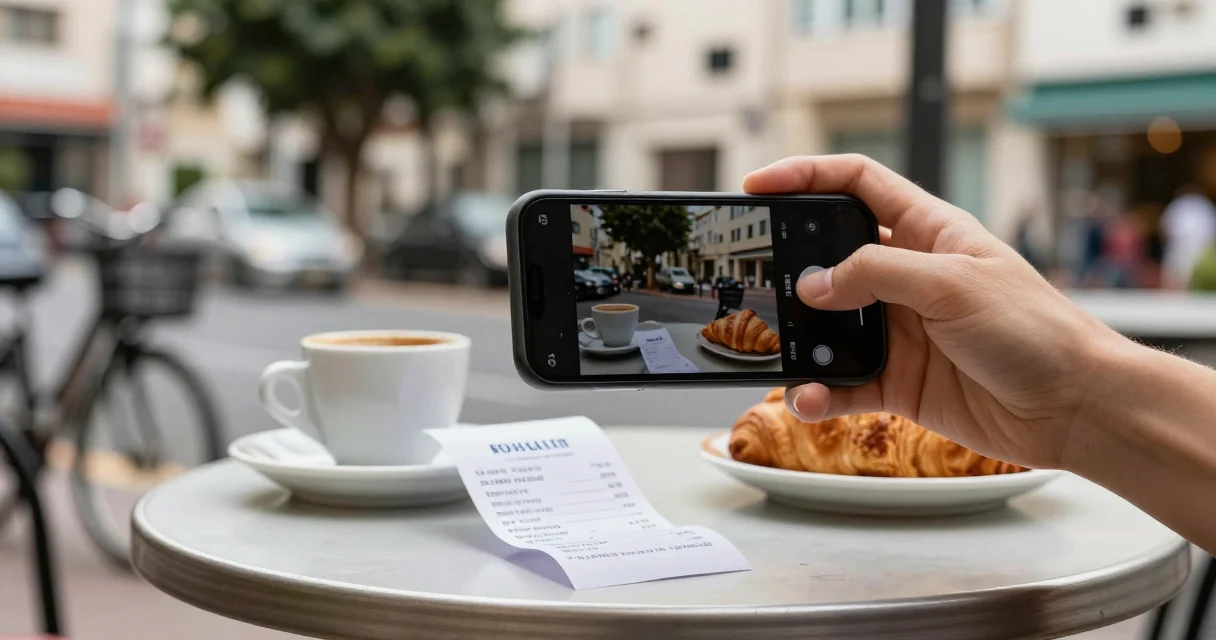
She photographs the receipts from the print shop and from the taxi on her phone, and the system fills in the supplier, the amount and the VAT by itself. When there is no time, she writes "invoice to Levi for 3 hours of consulting, 400 an hour" and gets a document ready for review. Nothing is saved without her approval.
At the end of the period comes the part that most self-employed people put off until the last moment, the bookkeeping. The amounts for the VAT report are already waiting on the screen, in the same order in which the form on the Tax Authority website asks for them, and all that is left is to copy them. The income tax advance is calculated according to the rate set by the assessing officer, and the system also warns when the National Insurance advance is lower than the actual profit, before that turns into a debt at the end of the year.
And if she has an accountant, she does not need to send him anything. He logs in to the representatives' portal, sees her reports and downloads a uniform-structure file himself, after she has approved his access. He cannot change anything on her side, and the portal does not cost him a shekel.

How to switch systems in the middle of the year without losing a single document
Many businesses stay with software that no longer suits them only because the move looks complicated. In practice it usually takes one evening. You export from the old system a uniform-structure file or an Excel file with all the documents and customers, and upload it to the new one. The old documents come in with their original numbers, and the history of the business stays in one place.
It is worth switching at the start of a month or at the start of a VAT reporting period, so that the periodic report is not split between two systems. And do not rush to cancel the old subscription. The books of the business have to be kept for seven years, and it is better to download a full copy of everything before access is closed. In Slate the import shows a reconciliation report that shows what was taken in before anything is saved, so a missing line can be caught before it turns into a problem with the accountant.
A problem with an allocation number also usually comes to light only after the move. On the first invoice of 5,000 shekels or more in the new system, check that the number has arrived and is printed on the document before it goes out to the customer.
How to choose the system that fits the size and type of the business
A designer, a programmer, a private tutor or a self-employed lawyer issue documents and send them to customers, and for that a system with no quota and no monthly price is the simple choice. Here Slate is especially suitable, even when the business grows and the months get busier. Only someone who needs credit card processing or a time clock inside the same system will find a reason to pay for one of the others.
Before you decide, open the list of documents from the busiest month you had this year and count how many you issued. With that number in hand, five minutes in front of the price lists will be enough to know how much each system would really have cost you.